

Who Keeps Digital Signs Useful After Installation?

The short answer is simple: someone must clearly own the content after the screens are installed.
That owner may be one person or a small team, depending on the organization. What matters is that responsibility does not fall into the space between marketing, operations, information technology, facilities, and leadership.
A screen can be technically working and still fail the people it is meant to serve. If the message is outdated, difficult to read, irrelevant to the location, or nobody knows who can change it, the screen is on but it is not doing its job.
For Tribal enterprises and community-serving organizations, the better question is not only, “Who owns the screen?” It is, “Who is responsible for keeping this screen useful?”

1. Decide what job each screen has
Start with purpose, not hardware.
One screen may welcome guests. Another may help people find their way. Others may share current events, community information, services, offers, sponsor messages, or timely operational updates.
If every screen is asked to do everything, the result can become crowded and easy to ignore. Give each location a clear primary job, then decide which supporting messages belong there.
Current guidance from AVIXA, the audiovisual industry association, recommends identifying content objectives at the beginning and treating hardware, software, and content as parts of the same system. (AVIXA)
2. Name the content owner before launch
The content owner does not need to personally create every message. The role is to make sure the right content exists, is approved, reaches the right screen, and is removed when it is no longer useful.
For some organizations, communications may lead. In others, operations may own the overall network while individual departments provide updates. A larger enterprise may need shared ownership with one clearly accountable lead.
The structure can vary. Accountability cannot.
AVIXA's public guidance identifies lack of ownership as a common point of failure and recommends placing someone in charge of content updates. (AVIXA)
3. Create a clear path for requests and approvals
People need to know:
Where a new message is submitted
Who checks it for accuracy and appropriateness
Who can approve routine information
Who can approve urgent changes
When expired content comes down
Who has final responsibility when teams disagree
This does not require a complicated bureaucracy. It requires a path people can understand and use.
The public-facing principle is straightforward: the easier it is to request, review, approve, and retire content responsibly, the more likely the network is to remain trustworthy.
4. Match the message to the place and audience
The same content loop should not automatically run everywhere.
A message that works in a casino entrance may not fit a healthcare waiting area, hotel hallway, restaurant, retail space, employee area, or community center. The audience, distance, viewing time, purpose, and environment are different.
Ask a few basic questions for every screen:
Who is likely to see it?
What might they need in that moment?
How long do they have to understand it?
What action, if any, should they take?
Does the message belong in this setting?
Relevant content respects people's attention. It also helps the enterprise use each screen with greater intention.
5. Keep accessibility in the review
Useful content must be readable and understandable by the people it is meant to reach.
That includes practical choices such as strong contrast, legible type, simple wording, enough time to read a message, and restraint with motion. Requirements vary by the type of sign, its function, the facility, and applicable codes, so accessibility should be reviewed for the actual use rather than assumed from a template.
The U.S. Access Board explains that informational and directional signs have visual requirements and notes that electronic or variable-message signs present unique accessibility considerations. (U.S. Access Board)
This article is not a substitute for accessibility or legal review. It is a reminder to include accessibility early, while content and screen decisions can still be improved.
6. Define what “current” means
Not every message needs to change every day. Not every message should remain for months.
The right update rhythm depends on the screen's purpose. Event information may have a short life. Wayfinding may change rarely. Community announcements, promotions, service information, and sponsor messages each have different timelines.
Instead of choosing one universal schedule, define what “fresh enough” means for each content type and who checks it. The goal is not constant motion. The goal is accuracy, relevance, and trust.
7. Measure usefulness, not only uptime
A green status light can confirm that a screen is operating. It cannot tell you whether the screen is helping anyone.
Useful measures may include:
Whether information is accurate and current
Whether expired messages are removed on time
Whether teams can request and approve updates without confusion
Whether people can understand the message quickly
Whether the content supports a meaningful action or enterprise goal
Whether each location is receiving content appropriate to its audience
The measurement should match the job of the screen. A wayfinding display, a community-information screen, and an advertising network should not be judged by the same single number.
Warning signs that the content plan needs attention
Look closely if any of these sound familiar:
No one can name the person responsible for content
Screens were purchased before the content purpose was defined
The same loop runs in every location regardless of audience
Expired events or offers remain visible
Departments rely on informal messages to request updates
Accessibility is checked only after content is finished
Success is defined only by whether the screen is turned on
These are not reasons to abandon a screen network. They are signs that the next improvement may be an ownership and content decision, not another piece of hardware.
How Aambe Media can help
Aambe Media's public model connects existing screens, configures scheduling and brand standards, delivers targeted content, manages the network, and uses reporting to improve performance. The goal is to help organizations make better use of screen environments they may already have while creating new opportunities for engagement and value. (Aambe Media)
Every organization has different audiences, spaces, priorities, and approval needs. A useful first conversation can help clarify:
What each screen should accomplish
Which audiences and locations matter most
Where content ownership needs to be clearer
Which standards and guardrails should be protected
What a practical next step could look like
That is enough to begin without giving away the details that should be designed around the organization itself.
Ready to get more value from your screens?
If your organization is planning a digital-signage network or trying to make an existing one more useful, Aambe Media can help you think through the purpose, audience, content, and opportunity before the next decision is made.
Quick questions
Who should own digital-signage content?
Choose one accountable person or team with the authority to coordinate contributors, approvals, updates, and removals. The exact department can vary, but ownership should be explicit.
How often should digital-signage content be updated?
There is no universal schedule. Define an appropriate review rhythm for each content type based on accuracy, relevance, audience, location, and expiration date.
Is digital signage mainly an IT responsibility?
IT may support infrastructure and access, but useful content usually requires coordination among communications, operations, facilities, leadership, and the teams closest to the audience.
How do we know whether our screens are working?
Measure the outcome tied to each screen's purpose. Uptime matters, but so do content accuracy, timeliness, readability, audience relevance, useful actions, and business or community value.
Can existing screens become part of a broader media network?
Aambe Media's public model is designed to connect existing systems into a managed network, configure operating rules, deliver targeted content, and create new opportunities for engagement and revenue. The fit depends on the location, audience, existing infrastructure, and organizational goals. Learn more about Aambe Media.

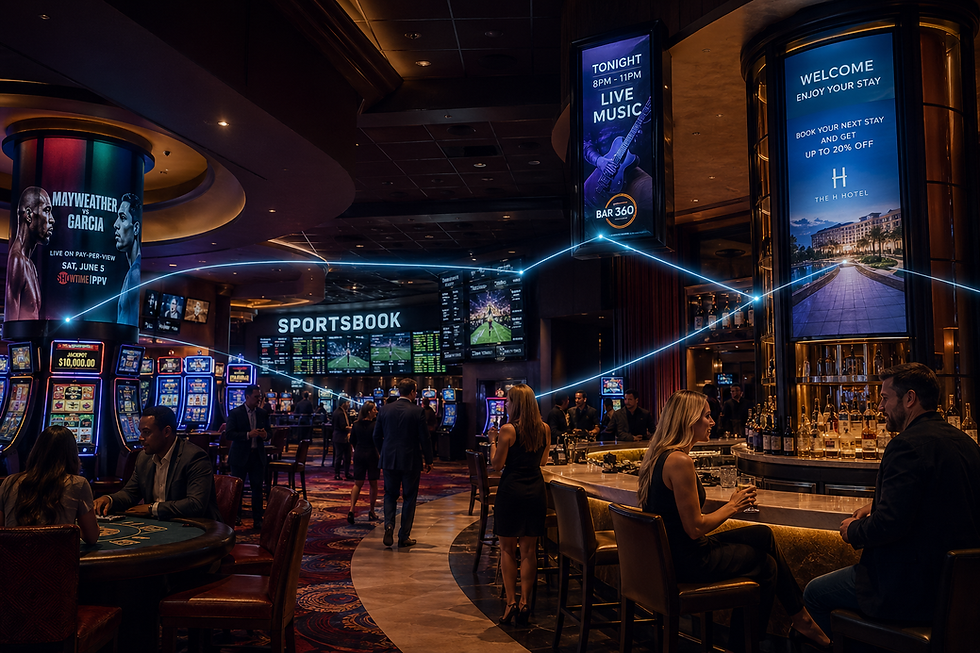
At https://ohnepausecasino.com, I've seen how easily a screen turns into background noise when nobody is accountable for keeping it relevant. The point about naming one clear content owner before launch is exactly what separates screens that inform from screens that just glow.